Bonjour,
J’ai exécuté le tri à la fin de la macro.
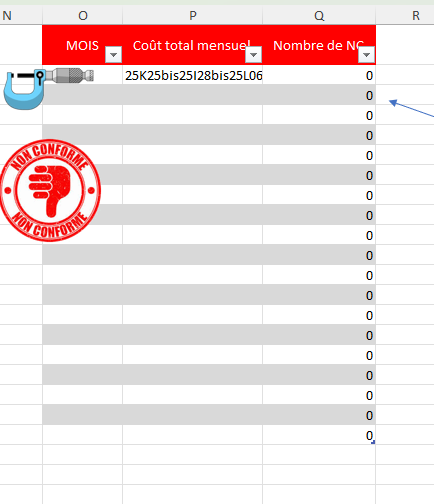
Pendant l’exécution, j’ai une série de messages de ce genre :
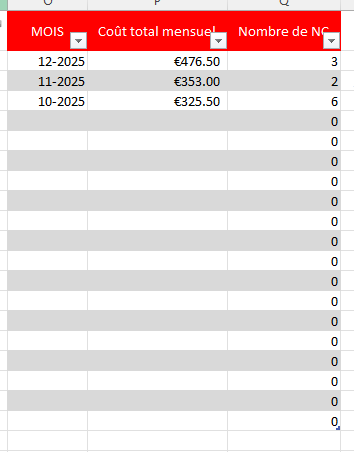
A la fin de la macro, le tableau est vide.
Sub IMPORT_ALL_IN_ONE()
     Dim WB, C, LO As ListObject, Tbl, Cheminsource, Fichier, Onglet, i, j, Lignes

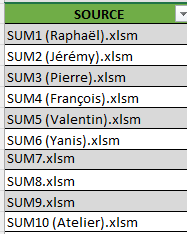
     Tbl = Range("tableau30").Value2         'TS avec vos sources,cibles,repertoires

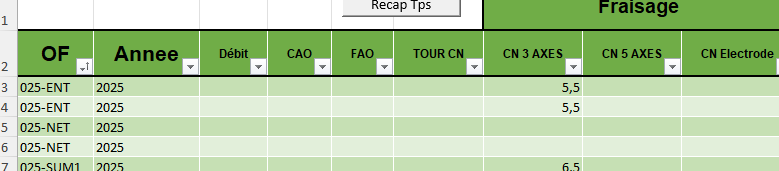
     Set LO = Range("TBL_SUM_ALL_IN_ONE").ListObject     'TS pour tous les salariés
     With LO
          .Parent.Unprotect
          .Range.AutoFilter
          If .ListRows.Count Then .DataBodyRange.Delete     'RAZ TS
          .ListRows.Add
     End With
     Application.ScreenUpdating = False

     For i = 1 To UBound(Tbl)                'boucler les salariés
          Application.StatusBar = Tbl(i, 1)
          If Tbl(i, 3) = "" Then MsgBox ("Veuillez indiquer le chemin du répertoire des fichiers sources en cellule C2 !!!"): Exit Sub
          Cheminsource = IIf(StrComp(Tbl(i, 3), "FICHIER", 1) = 0, ThisWorkbook.Path, Tbl(i, 3))     'on teste cela seulement pour le premier ?
          If Right(Cheminsource, 1) <> "\" Then Cheminsource = Cheminsource & "\"
          If Tbl(i, 1) <> "" Then            'source connu
               Fichier = Tbl(i, 1)           'nom du fichier
               Application.StatusBar = "opening " & Cheminsource & Fichier     'monter le progrès dans le statusbar
               On Error Resume Next
               Set WB = Nothing: Set WB = Workbooks.Open(Cheminsource & Fichier)     'ouvrir fichier
               On Error GoTo 0
               If WB Is Nothing Then         'ouverture erronée ?
                    subClosingPopUp 3, "le fichier " & Cheminsource & Fichier & " est introuvable", "Erreur !!!"
               Else
                    WB.Sheets("Recap TPS").Unprotect     'enlever protection de cette feuille dans le fichier du salarié
                    With WB.Sheets("Recap TPS").ListObjects(1).Range     'ce TS dans le fichier
                         Set c1 = .Columns(1).Find("*", After:=.Range("A1"), searchdirection:=xlPrevious)     'normallement inutile si le TS ne contient pas des lignes vides
                         Lignes = c1.Row - .Row     'nombre de listrows à copier
                         If Lignes > 0 Then
                              Set C = LO.ListRows.Add.Range.Resize(Lignes, 1)     'ajouter autant de nouvelles lignes au TS "ALL_IN_ONE"
                              C.Value = Tbl(i, 4) & ", " & Tbl(i, 5)     'le nom du salarié
                              For j = 1 To .Columns.Count     'boucler les colonnes du TS du salarié
                                   R = Application.IfError(Application.Match(.Cells(1, j).Value, LO.HeaderRowRange, 0), 0)     'rechercher même colonne dans "ALL_IN_ONE"
                                   If R = 0 Then
                                        MsgBox "erreur, colonne inconnue", vbCritical, .Cells(1, j).Value
                                   Else
                                        C.Offset(, R - 1).Value2 = .Cells(2, j).Resize(Lignes).Value2     'copier colonne du TS salarié au TS "ALL_IN_ONE"
                                   End If
                              Next
                         End If
                    End With
                    WB.Close SaveChanges:=False     'fermer fichier salarié
               End If
          End If
     Next
     Application.StatusBar = False

     With LO
          If WorksheetFunction.CountBlank(.ListColumns(2).DataBodyRange) > 0 Then     'y-a-t-il des lignes sans "OF", alors supprimer !
               subClosingPopUp 2, "supprimer les lignes sans OF", "Attention !!!"
               .Range.AutoFilter 2, ""
               Application.DisplayAlerts = False
               .DataBodyRange.SpecialCells(xlVisible).Delete
               Application.DisplayAlerts = True
               .Range.AutoFilter
          End If

          If .ListRows.Count > 1 Then
               .ListRows(2).Range.Copy
               .ListRows(1).Range.PasteSpecial xlPasteFormats
          End If
          .Range.AutoFilter
          .Range.EntireColumn.AutoFit
          Application.CutCopyMode = False
          ' .Parent.Protect AllowFiltering:=True 'ne plus protéger les feuilles !!!!
          Application.Goto .Parent.Cells(1)

     End With
     subClosingPopUp 4, "Importation des Données Salariés terminée", "Summop86"
    With Worksheets("SUM_ALL")
      .ListObjects("TBL_SUM_ALL_IN_ONE").Sort.SortFields.Clear
      .ListObjects("TBL_SUM_ALL_IN_ONE").Sort. _
        SortFields.Add2 Key:=Range("TBL_SUM_ALL_IN_ONE[Salarié]"), SortOn:= _
        xlSortOnValues, Order:=xlAscending, DataOption:=xlSortNormal
      .ListObjects("TBL_SUM_ALL_IN_ONE").Sort. _
        SortFields.Add2 Key:=Range("TBL_SUM_ALL_IN_ONE[OF]"), SortOn:= _
        xlSortOnValues, Order:=xlDescending, DataOption:=xlSortNormal
      With ActiveWorkbook.Worksheets("SUM_ALL").ListObjects("TBL_SUM_ALL_IN_ONE").Sort
        .Header = xlYes
        .MatchCase = False
        .Orientation = xlTopToBottom
        .Apply
      End With
    End With
End Sub
Daniel